Services

Websites, useful tools, and clearer decisions for your business.

James Cloud Advisory helps business owners and growing teams explain what they do, get found, and replace frustrating manual work with systems their teams can actually use.

Websites & visibility

01 / capability

Websites that explain and convert

Turn an unclear or dated online presence into a useful front door. Visitors can quickly understand who you help, what to do next, and why they can trust the business.

  • Positioning, page flow, and UX direction
  • Service, trust, and contact-page structure
  • Responsive, maintainable website delivery
02 / capability

Marketing that supports the next step

Connect your message, campaigns, and landing pages to the questions customers ask before they contact you—without filling the calendar with content that has no job to do.

  • Customer-journey and content planning
  • Campaign and landing-page support
  • Simple marketing workflows your team can keep up
03 / capability

Local visibility that earns its place

Build the search, location, and service-page foundation that helps local customers find a clear answer when they are already looking for what you do.

  • Technical SEO and site-health priorities
  • Local search and business-profile guidance
  • Search-informed service and location content

Tools & automation

04 / capability

Tools for work that keeps repeating

When a spreadsheet, inbox, or shared document has become the operating system, build a lightweight tool around the actual job so follow-up and handoffs stay visible.

  • Operational dashboards and focused portals
  • Quote, request, and follow-up workflows
  • Role-aware forms and practical business rules
05 / capability

Automation that removes the copy-and-paste

Map a repetitive handoff, decide what belongs where, then connect the systems so people stop re-entering the same information and can see who owns the next action.

  • Process mapping and tool-fit decisions
  • Integrations and durable system handoffs
  • Documentation your team can use after launch

Reporting & cloud advice

06 / capability

Reporting and cloud advice you can use

Start with the few questions that guide a real decision, then create reporting and an Azure plan that make the answers visible without overbuilding the system.

  • Decision questions, KPIs, and data definitions
  • Reporting views built around real operating reviews
  • Azure architecture and modernization guidance
Customer-assistance kiosks

An extra set of hands when the front desk is busy.

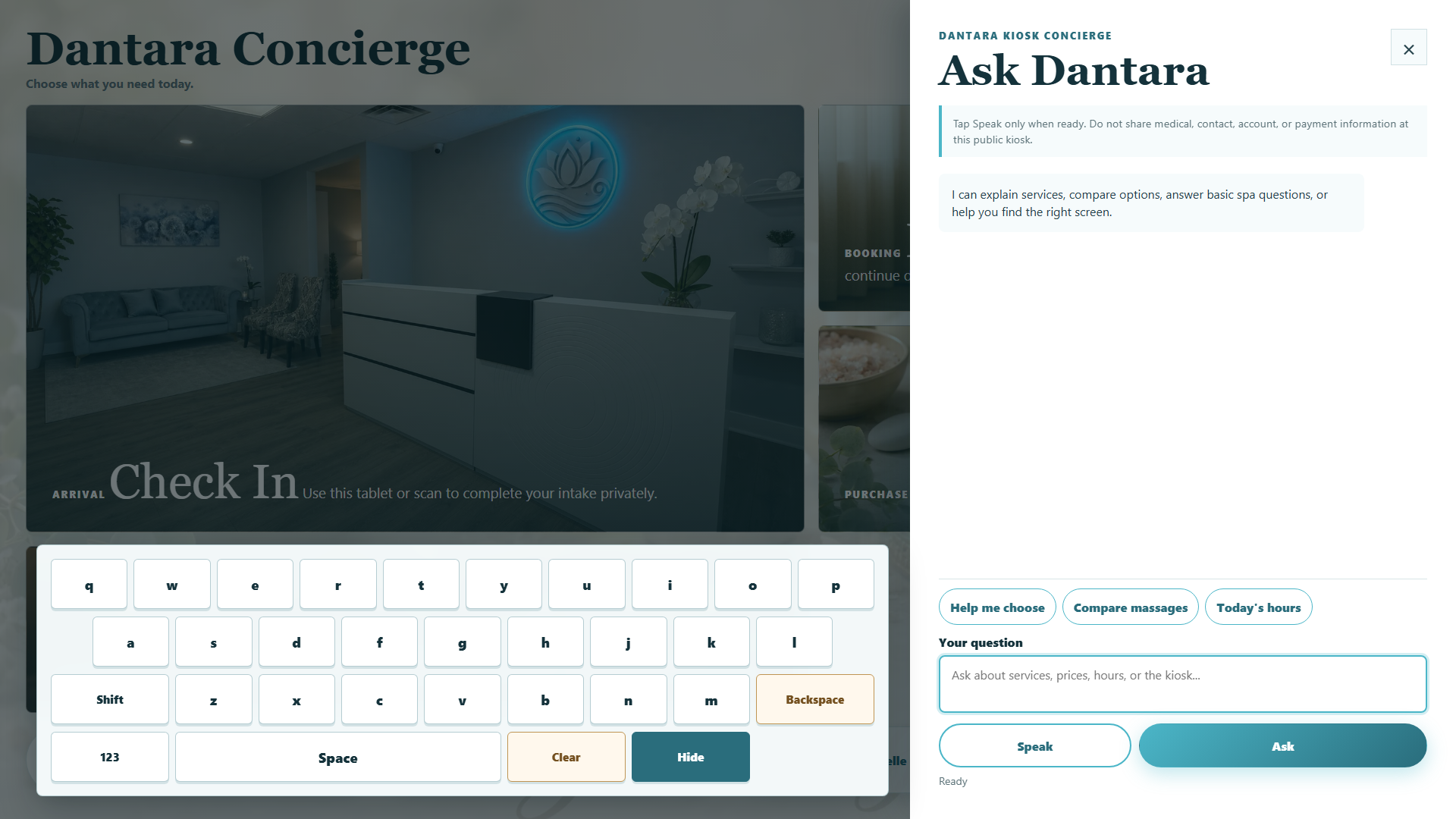
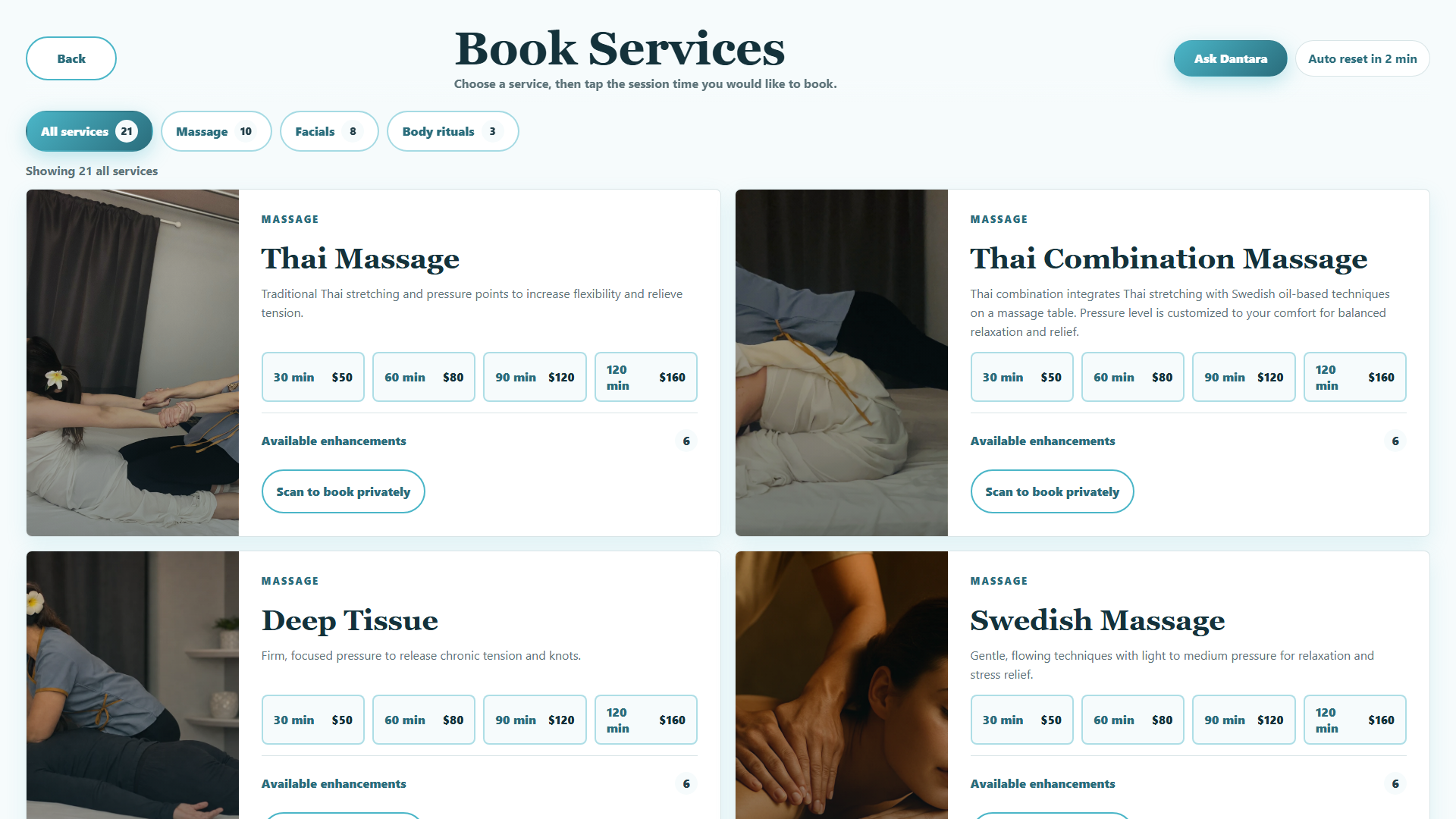
Give visitors a useful next step while your team helps someone else. At Dantara Spa, a touchscreen brings service information and a focused concierge into the lobby.

Help with the everyday questions

Guests can explore services, compare options, and ask about the spa and its hours. The concierge works from the business information supplied to it and guides guests toward staff when a question needs personal attention.

Built around the people at the desk

Staff remain the point of contact for personal decisions and further help. Guest-session resets, local content, and a defined support and maintenance scope are part of planning the installation.

Actual Dantara kiosk interface, shown in existing documentation captures. No customer records or private conversations are shown. Screens may differ from the current installation; listed service details are illustrative of the captured version.

Azure specialty

Cloud should support the work, not become another thing to manage.

Senior guidance, sized to the decision.

When a website, tool, or reporting problem reaches into your technology foundation, you get practical Azure architecture, security, and modernization guidance—translated into clear choices your team can support.

A useful starting point

You do not need the perfect brief to start.

Bring the page that confuses customers, the task everyone repeats by hand, or the report you wish you had. We will turn it into a focused first project.

Talk through your next step